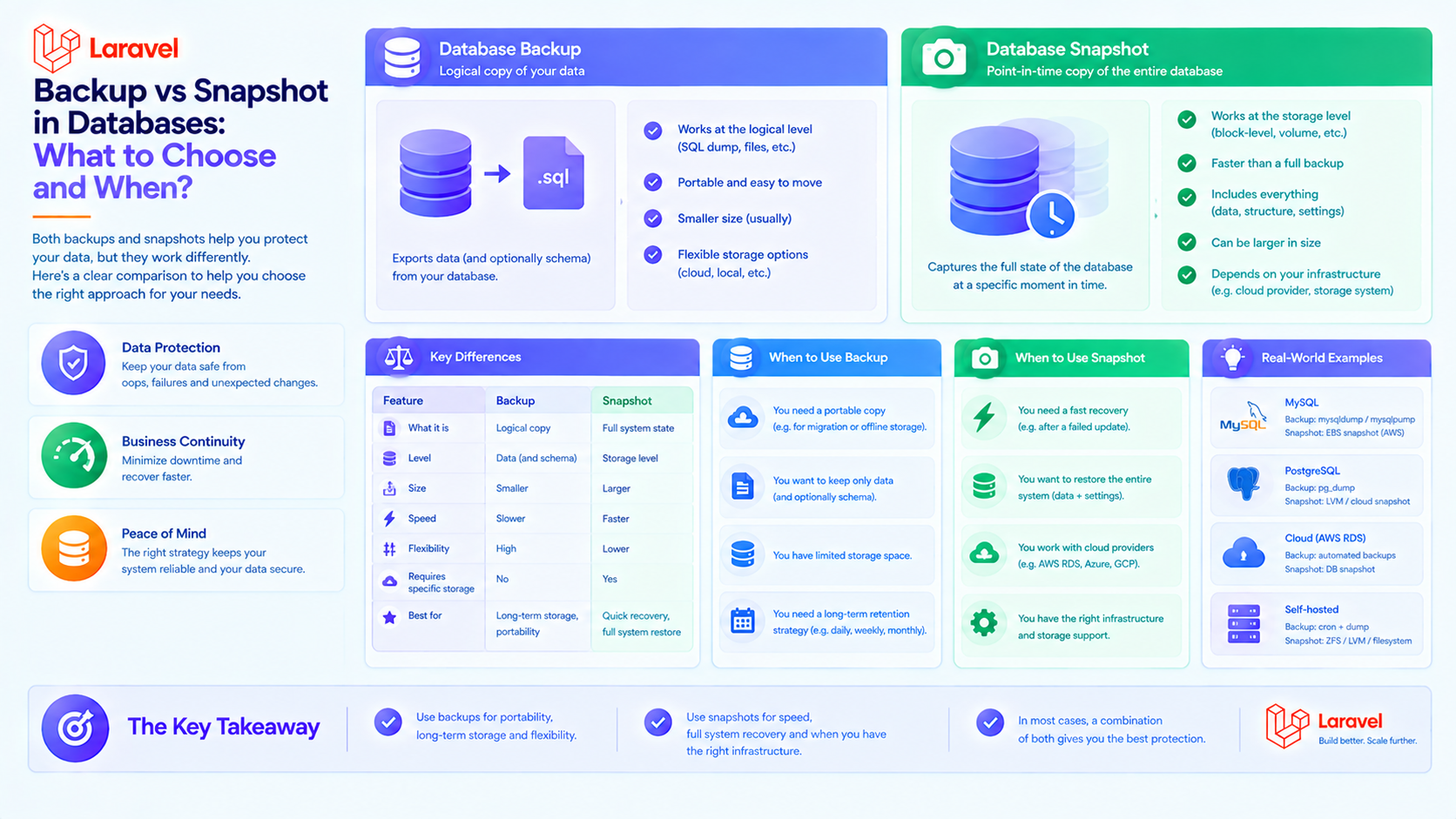
Backup vs Snapshot in Databases: What to Choose and When?
If you work with data, you know that losing it is a nightmare. But when it comes to protecting information in a database, confusion often arises: Backup or Snapshot? These are not interchangeable tools, but different strategies for different tasks.
Let's break down when to use each, and look at some examples in Laravel.
📸 What is a Snapshot?
A snapshot is a "photograph" of the state of your file system or data volume at a specific point in time. It's often an infrastructure feature (virtualization, cloud disks).
How it works: The system doesn't copy all data immediately but records changes "before" and "after" the snapshot creation point.
Snapshot Pros:
- Instant: Created in seconds.
- Minimal Impact: Almost no load on the system during creation.
- Ideal for Quick Rollbacks: For example, before a risky update or data migration.
Snapshot Cons:
- Infrastructure Dependent: Typically tied to a specific host, cloud provider, or storage system.
- Not Portable: Difficult to "take with you" and restore in a completely different environment.
- Single Point of Failure Risk: If the primary storage is corrupted, snapshots may also be lost.
💾 What is a Backup?
A backup is the purposeful copying of data (e.g., an SQL dump) to an independent, often external, storage location.
How it works: The database sequentially exports its schemas and data into a file that can be moved anywhere.
Backup Pros:
- Portability: A dump file can be restored on any compatible DBMS anywhere.
- Flexibility: You can back up not everything, but only specific tables. You can create logical backups (schema only, data only).
- Longevity & Compliance: Files can be archived and stored for years according to security policies (GDPR, etc.).
- Restore "Anywhere": With a backup, you are not tied to hardware or cloud.
Backup Cons:
- Time & Resources: Creating a full dump of a large database can take significant time and CPU.
- Performance Impact: The export process can load the database.
- RPO (Recovery Point Objective) Complexity: There is a "window" between backups where data can be lost.
🧭 When to Use What? Quick Guide
Choose SNAPSHOT when:
- Your Goal: Quick rollback of the entire system state (DB + application).
- Creation Speed is Critical: You need recovery points in seconds, not hours.
- Recovery Environment: You'll restore to the same or identical infrastructure.
- Retention Period: You need it for short term (days/weeks).
- Granularity: You need the entire system/volume as a whole.
Choose BACKUP (Dump) when:
- Your Goal: Data recovery after failure, migration to new infrastructure, or long-term archiving.
- Creation Speed is Flexible: You can afford minutes or hours for the backup process.
- Recovery Environment: You might need to restore to any other environment (local PC, different hosting, new cloud provider).
- Retention Period: You need long-term storage (months/years).
- Granularity: You need to restore specific elements like a single database, table, or even particular rows.
Key Takeaway: Snapshots are not a replacement for backups. They are a complement. Snapshots protect against operator errors or software failures, but not against physical server destruction or cloud provider region failure. A backup is your last line of defense.
🔧 Practice in Laravel: Examples
In the Laravel ecosystem, you typically work with logical database backups.
1. Classic Backup using spatie/laravel-backup: This package is for creating full application backups (files + DB).
Plus: Full automation, upload to clouds (S3, Dropbox), notifications.
2. Logical DB Dump using mysqldump or pg_dump: Sometimes a simple script is needed.
3. Database Snapshot in the Cloud (AWS RDS): This is already an infrastructure level, not Laravel code.
- In the AWS RDS console, you can create a DB snapshot manually or set up automatic creation.
- This gives you a restore point within AWS in a matter of minutes.
- But! For reliability, these snapshots should be periodically exported to S3 (which essentially turns them into portable backups).
Final Recommendation
Use a combined strategy:
- Daily logical backups (dumps) using Laravel packages or scripts. Store them outside the main system.
- Frequent snapshots (if your infrastructure allows it) for operational rollbacks.
- Regularly test restoration from a backup. A backup you can't restore from is not a backup.